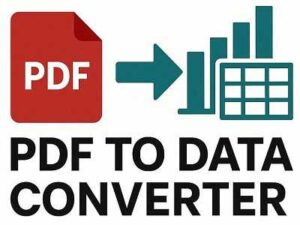
Convert PDF to XLTX instantly fast, simple, and free. Upload your file, extract the content, and download an Excel template in seconds. No sign-ups, no hassle just quick converting.
PDF to XLTX Converter
Convert PDF to editable Excel Template (XLTX) online – from device or cloud.
How to Convert PDF to XLTX Online for Free
- Upload your PDF file or drag & drop it above.
- Wait a few seconds while we extract the content.
- Download your new XLTX Excel template done!
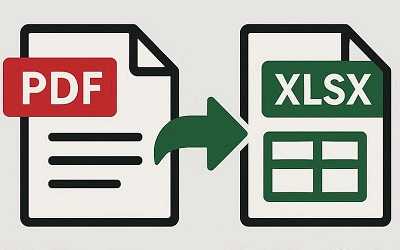
Quick PDF to XLTX Conversion
No sign-ups or long steps just upload your PDF, convert it to an Excel template in seconds, and download instantly.
Safe and Secure File Handling
Your privacy matters. We use secure connections and follow strict data protection rules. Files are deleted automatically shortly after upload.
Works on All Devices
Convert PDFs to XLTX on any device Windows, Mac, Linux, iOS, or Android. No software needed, works right in your browser.
Fast, Free, and Easy
No complex menus or confusing tools. Just upload, convert, and download quick and stress-free.
Clean and Accurate Output
We make sure your Excel template stays neat and readable, so your data is ready to use with minimal editing.
Convert Anytime, Anywhere
No installation required. Use the tool anytime day or night from anywhere in the world.
FAQs
1. What is a PDF to XLTX converter?
A PDF to XLTX converter is a tool that helps you turn your PDF document into an Excel Template file (.xltx). This means your PDF text gets extracted and placed into a format that you can open and edit in Microsoft Excel. It’s useful when you want to reuse data or create a spreadsheet template from information stored in a PDF.
2. Do I need to install anything to use this converter?
No installation is needed at all. This is a completely online tool you simply open the website, upload your PDF file, and convert it directly in your browser. Everything works without downloading software or setting up anything on your device.
3. Is the PDF to XLTX converter free to use?
Yes, this tool is 100% free to use. You don’t need to pay, create an account, or enter any personal information. Just upload your file, convert it, and download your Excel template simple and free.
4. What types of files can I convert?
Right now, this tool converts PDF documents into XLTX Excel template files. It works with text-based PDFs. If you have a scanned or image-only PDF, the output might not be perfect since those files require OCR, which may not be supported fully here.
5. How long does the conversion take?
The conversion usually takes just a few seconds. Larger PDFs with many pages might take a little longer, but overall the process is fast and designed to save you time.
6. Will the formatting from my PDF remain the same in Excel?
The tool focuses mainly on extracting the text content from your PDF. While it tries to keep text structured, advanced formatting like complex tables, fonts, and layouts may not fully transfer. However, the content will be there so you can organize it easily in Excel.
7. Are my files safe when I upload them?
Yes, your files are handled securely. We use safe connections and do not store your files longer than necessary. All uploaded files are automatically removed shortly after the conversion is complete, keeping your data private and protected.
8. Can I use this tool on any device?
Absolutely. You can use this converter on any device that has a web browser — Windows, Mac, Linux, Android, iPhone, or tablet. No matter what system you’re using, the tool works the same way.
9. Do I need an account or sign-up to use it?
Not at all. You can convert your files without creating an account or signing up. We want the process to be simple and fast, so you can just upload, convert, and download without any extra steps.
10. What if my PDF has many pages?
This tool can handle multi-page PDFs. It will go page by page, extract the text, and build it into your Excel template. Very large documents may take slightly longer to convert, but they will still work.